
AI on your Mac.
One shortcut away.
A quick chat assistant that opens over whatever you’re working on.
Press ⌥ Space to ask a question or get help with text.
Your own API keys · Local models · One-time purchase planned
- OpenAI
- OpenRouter
- Ollama
- llama.cpp
- Foundation Models
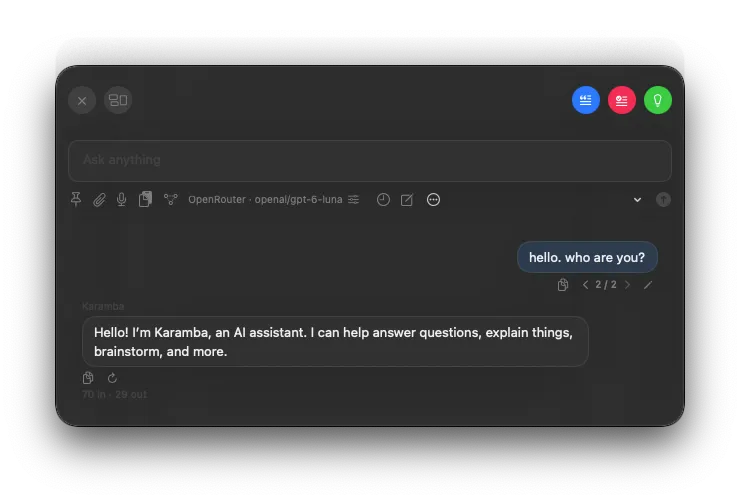
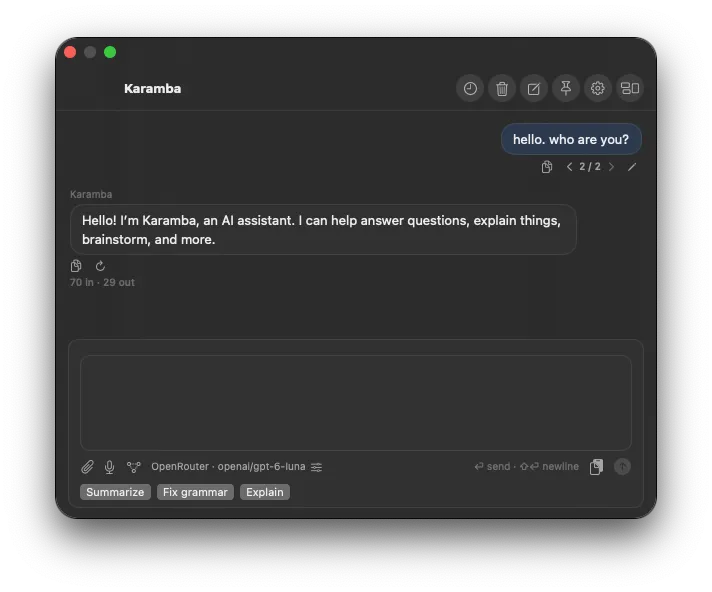
Focus keeps the chat compact, with your prompt at the top.
Switch layouts in settings.Open it from any app.
Bring up a chat while you’re writing an email, reading, or working on something else.
Choose where your chats go.
Use a cloud provider you trust, or a model running on your Mac.
Pick the model you want.
Connect your own API keys and use the models that suit you.
A quick answer,
without switching apps.
Karamba opens over the app you’re using.
Ask what you need, then carry on.
Open Karamba.
Press ⌥ Space wherever you’re working. A chat window opens, ready for your question.
Ask your question.
Type a message, add an attachment, or use a quick action to summarize text, fix grammar, or explain something.
Get back to it.
Read the reply, copy what you need, and close the chat when you’re done.
You can change the shortcut in settings.
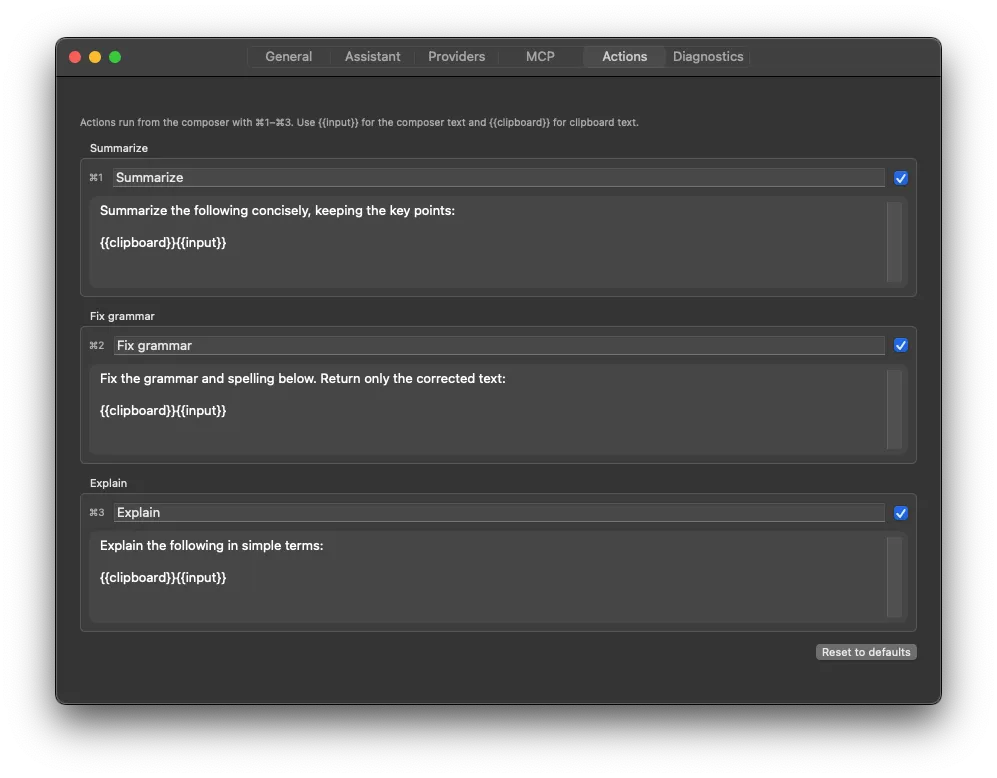
Save the prompts you use often.
Edit the built-in actions to suit your needs. They can use text you’ve typed or copied to your clipboard.
Use the models
you already like.
Already have an API key? Add it to Karamba and start chatting. You can also use local models, including Apple Foundation Models.
Connect a cloud provider.
Add an OpenAI or OpenRouter API key, or connect another service with an OpenAI-compatible API.
Run a model on your Mac.
Use Apple Foundation Models on a supported Mac, or connect to your local Ollama or llama.cpp setup.
Local models need compatible hardware or a local server setup.
 Add and manage your providers in settings.
Know where
your chats go.
The model you choose determines where your messages are processed. You can chat locally on your Mac or send them to your chosen provider.
You choose the provider.API keys stay in Keychain.
Your provider API keys are stored in macOS Keychain.
Local and cloud chats work differently.
On-device models process your chats on your Mac. Cloud providers receive your messages and any context you include; their data policies apply.
Approve tools before they run.
You can add MCP tools to a conversation. Karamba asks before connecting to a server or running a tool.
 PRICING
Try it first.
Buy it once.
We’re planning a free trial so you can give Karamba a go.
If it’s useful to you, unlock it with a small one-time purchase.
We’re still deciding the price and trial length.
Your cloud provider’s API charges are separate.
Karamba won’t require a subscription.
You pay your provider for any cloud API usage.
Want to know
a bit more?
Here are the basics.
What is Karamba AI?
It’s a macOS app that opens a chat with a keyboard shortcut. You can use it from any app to ask questions or get help with text. It has two layouts: Focus for a compact window, and Classic for a more familiar chat view.
Do I need an API key?
Yes, if you want to use a cloud provider. Add your own key for the service you choose. You don’t need a cloud API key for Apple Foundation Models or models running locally through Ollama or llama.cpp, but you do need a supported Mac or a local model setup.
Does everything stay on my Mac?
That depends on the model. On-device models process your chat on your Mac. Cloud models receive your messages and any attachments or other context you include, so you should check that provider’s privacy policy. Your API keys are stored in macOS Keychain.
How much will it cost?
We haven’t settled on a price yet. The plan is a free trial, then a small one-time in-app purchase. If you use cloud models, you’ll also pay your provider’s API charges separately.
Can I change the shortcut and quick actions?
Yes. The default shortcut is Option + Space, but you can change it in settings. You can also edit the prompts for Summarize, Fix grammar, and Explain.
When can I download it?
Karamba is still in development. We’ll add the download link, price, trial details, and system requirements here when it’s ready.